
Maximize Your Potential: Best Laptops for Business and Beyond
You need a laptop that helps you do more with less friction — whether that means powering through spreadsheets, running meetings, or creating presentations.

You need a laptop that helps you do more with less friction — whether that means powering through spreadsheets, running meetings, or creating presentations. This guide focuses on practical choices so you can pick a machine that fits your workflow and budget.
If you want a reliable Dell Laptop for everyday business tasks, a long‑battery workhorse, or a gaming‑capable machine for creative workloads, these picks simplify the decision. Read on to find the model that helps you maximize productivity without wasting time on comparisons.
Top Picks
Category |
Product |
Price |
Score |
|---|---|---|---|
💰 Best Value |
£479.00 |
82/100 |
|
🎯 Best For Multitasking |
£499.99 |
80/100 |
|
🔋 Best Battery Life |
£429.93 |
88/100 |
|
🏆 Best Premium Choice |
£949.00 |
95/100 |
|
🎮 Best For Gaming |
£678.97 |
84/100 |
How We Chose These Laptops
You want a laptop that matches how you work. We weighed real‑world performance, battery life, build quality, display clarity, keyboard comfort, port selection and storage, and price.
We also considered user feedback about reliability and practical issues like keyboard backlighting and heat/noise. Models were scored on their ability to handle business tasks (video calls, productivity apps, multitasking), value for money, and the unique strengths that make each model suited to a particular user profile.
💰 Best Value

Dell 15
15.6" FHD 120 Hz display, Intel Core i5-1334U, 16GB RAM, 512GB SSD, Intel UHD Graphics, Windows 11 Home — Carbon Black, lightweight with 65W adapter.
£479.00
This Dell 15 is the kind of Windows Laptop you pick when you want reliable everyday performance without overthinking it. You get a 15.6" Full HD 120 Hz screen that feels smoother when you scroll through spreadsheets or tabs, an Intel 13th Gen i5 for snappy multitasking, and 16GB RAM plus a 512GB SSD so apps launch fast.
It's solid for daily work, streaming, and casual editing, and light enough to toss in a bag for client meetings or classes. For special occasions — like putting together a presentation or editing photos for a weekend project — the stable performance and ports (USB-C, HDMI, microSD) make life easier.
If you want a practical, no-nonsense Windows Laptop that balances speed, a good screen, and a friendly price, this is a smart pick.
What People Say
Customers commonly praise how much performance you get for the price, noting smooth everyday use, a bright 120 Hz display and fast storage. People also mention shorter-than-expected battery life and that some units lack a backlit keyboard, so expectations around battery and keyboard features are worth checking.
When It Helps
Situation |
How It Helps |
|---|---|
Commuting and cafés |
Lightweight build and solid battery for short trips, plus a bright anti-glare screen that works in different lighting. |
Remote meetings |
Reliable CPU performance keeps video calls and note-taking smooth while you run a few apps at once. |
Presentations and meetings |
HDMI output and USB ports make it easy to connect to projectors or external displays without adapters. |
Home multitasking |
16GB RAM and a 512GB SSD make switching between tabs, documents, and streaming fast and frustration-free. |
Versatility
You can treat this as a daily workhorse: it handles office apps, video calls, light photo edits, and streaming without fuss. It’s versatile enough for students, small business owners, or anyone who needs a dependable Windows Laptop for mixed tasks.
Practicality
Setup is straightforward and the port selection covers most peripherals, so you won’t need dongles for common meeting or storage needs. The SSD and RAM give practical speed where you notice it every day.
Brand Trust
Dell is a well-known brand with a wide service network and consistent support options, so if you run into problems it's generally easy to find help or warranty service.
Security Features
Feature |
Protection Level |
|---|---|
Windows 11 built-in protections |
Basic to moderate (defender, firewall, updates) |
UEFI Secure Boot |
Helps prevent low-level malware from loading |
Automatic updates |
Keeps patches and security fixes current |
Key Benefits
- Smooth multitasking with 13th Gen Intel Core i5 and 16GB RAM
- Fast boot and app load times thanks to 512GB PCIe M.2 SSD
- Comfortable 15.6" FHD 120 Hz anti-glare display for long sessions
- Useful connectivity: USB 3.2, USB-C, HDMI, microSD and Wi‑Fi 6
- Lightweight, portable design with a rugged 65W adapter
Current Price: £479.00
Rating: 4.1 out of 5 (total: 21+)
🎯 Best For Multitasking
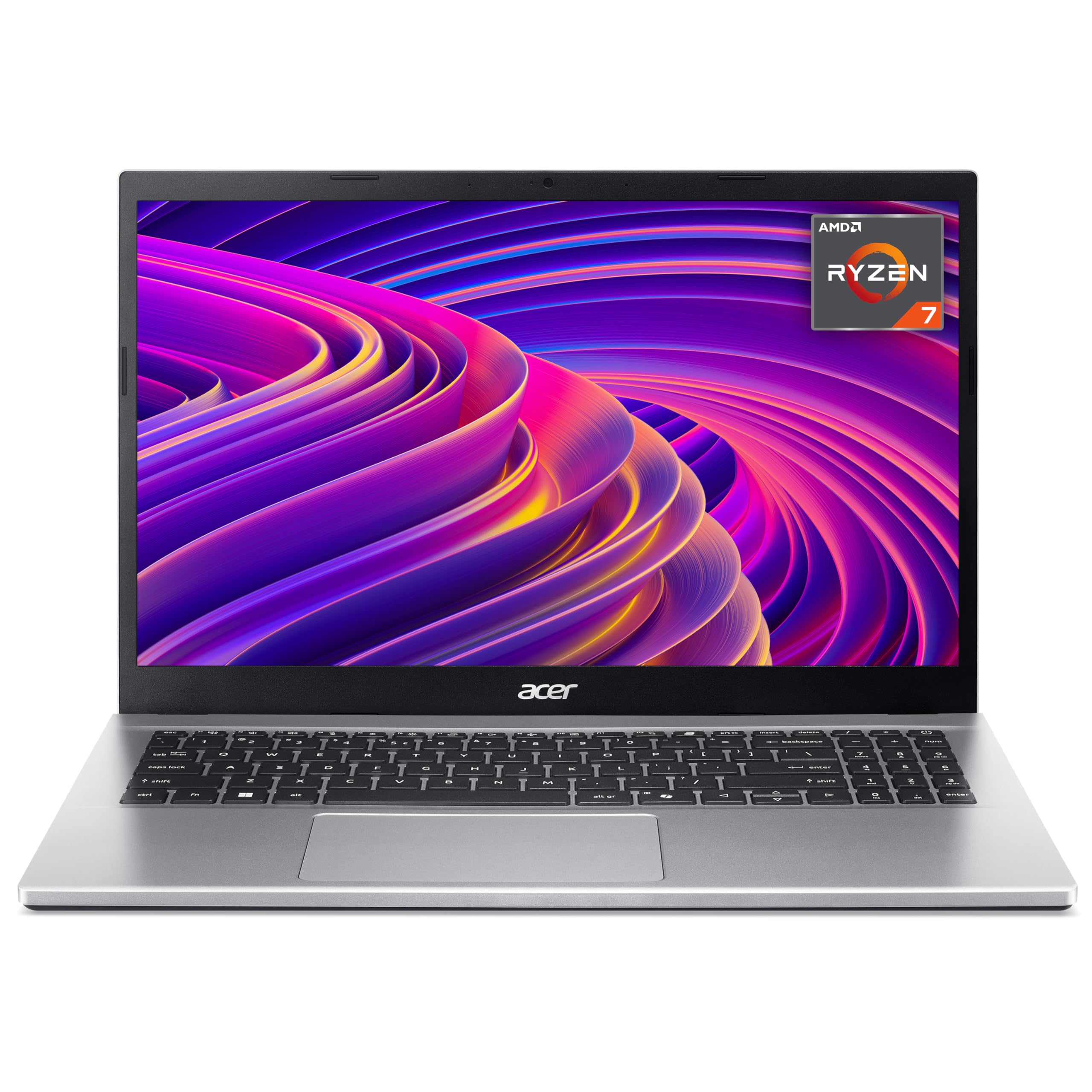
Acer Aspire
Acer Aspire Go 15 — 15.6" Full HD laptop with AMD Ryzen 7, 16GB RAM, 1TB SSD, integrated graphics and Windows 11, aimed at versatile everyday use.
£499.99
You’ll find the Aspire Go 15 is built for getting things done without fuss. It packs an AMD Ryzen 7 CPU, 16GB of RAM and a roomy 1TB SSD so apps open fast and switching between tabs feels smooth — exactly what you want when tackling a busy workday or class schedule. The 15.6" Full HD screen is bright enough for spreadsheets and streaming, and USB-C lets you hook up an external 4K display or power up with one cable. For video calls the HD webcam and dual mics do a decent job, and the advertised ~10-hour battery life means you can work through meetings or study sessions on the move.
If you’ve been used to a Dell Laptop, this one leans more into large storage and multitasking value; it’s a solid pick if you need a dependable all-rounder for both daily tasks and weekend projects.
What People Say
Shoppers frequently praise the speed you get for the price — the large SSD and 16GB RAM come up a lot as real perks. People also appreciate the webcam, Wi‑Fi 6 and the convenience of USB‑C.
Common gripes centre on speaker quality, occasional screen complaints and a few reports of flaky build or small software quirks.
When It Helps
Situation |
How It Helps |
|---|---|
Busy workdays |
16GB RAM and the Ryzen processor keep spreadsheets, tabs and video calls running without constant slowdowns. |
Lectures and study |
Large 1TB SSD means you can store course materials and media locally without juggling external drives. |
Remote meetings |
HD webcam plus dual mics with AI noise reduction make calls clearer from different rooms or cafes. |
Quick content tasks |
The Full HD screen and responsive storage let you edit photos, prep presentations or trim clips for social channels. |
Versatility
This laptop handles everyday office apps, video calls, media streaming and light creative work with ease. It’s flexible enough for students, freelancers and small-business owners who need a machine that does a bit of everything well.
Practicality
Setup is straightforward, and having 1TB onboard removes the immediate need for extra drives. The port selection — including USB‑C and multiple USB 3.0 ports — covers most peripherals you’re likely to use day to day.
Brand Trust
Acer is a familiar name in value-oriented laptops and offers standard support channels; you can expect the usual warranty and online resources if something needs fixing.
Security Features
Feature |
Protection Level |
|---|---|
Windows 11 built-in protections |
Basic to moderate (Defender, firewall, regular patches) |
UEFI Secure Boot |
Helps block low-level malware before the OS loads |
Dual-band Wi‑Fi 6 |
Faster, more secure wireless connections with modern encryption |
Key Benefits
- Strong multitasking thanks to AMD Ryzen 7 and 16GB RAM
- Lots of local storage with a 1TB PCIe SSD for apps and media
- 15.6" Full HD screen gives clear detail for work and streaming
- USB-C with display support makes it easy to add an external monitor
- Built-in HD webcam and dual mics for remote meetings
Current Price: £499.99
Rating: 4.1 out of 5 (total: 38+)
🔋 Best Battery Life

HP 15
HP 15.6" Laptop with AMD Ryzen 5 7520U, 16GB RAM, 512GB SSD, Windows 11 Home, True Vision camera, anti-glare 15.6" Full HD display and long battery life.
£429.93
This HP 15 is a practical Windows Laptop that aims to keep you productive without drama. With an AMD Ryzen 5, 16GB of RAM and a 512GB SSD, apps load quickly and switching between tasks feels smooth.
The 15.6" Full HD anti-glare screen is easy on your eyes for long working sessions, and the True Vision camera plus dual mics make video calls clearer. Battery life is a highlight — the spec lists about 10.5 hours and HP Fast Charge gets you back to 50% in roughly 45 minutes, which is handy for travel days. If you want a no-nonsense machine for everyday work, study and streaming, this one’s a sensible pick.
What People Say
Buyers frequently praise the battery life and the value you get for the price — many note the snappy performance thanks to the SSD and 16GB of RAM. Shoppers also call out the clear screen and the camera for video calls.
On the downside a small number report fan noise or occasional glitches and there are a few mentions of touchpad/buttons issues.
When It Helps
Situation |
How It Helps |
|---|---|
On the move |
Long battery life and HP Fast Charge mean you can work between meetings and quickly top up before a presentation. |
Video calls and remote meetings |
True Vision camera and dual mics help you look and sound clearer during calls, even in dimmer rooms. |
Daily office work |
Ryzen 5 plus 16GB RAM keeps spreadsheets, browser tabs and productivity apps running without constant slowdowns. |
Streaming and light content tasks |
The Full HD screen and integrated Radeon graphics handle streaming, photo touch-ups and casual media editing comfortably. |
Versatility
You can use this laptop for a mix of tasks — office work, video calls, media streaming and light creative edits. It’s a good fit if you need a single machine for home, campus and the occasional trip.
Practicality
Setup is straightforward and the 512GB SSD removes the immediate need for external storage. The full-size keyboard with numeric keypad and a decent selection of ports covers typical day-to-day needs.
Brand Trust
HP is a long-established brand with broad aftercare and warranty options, so you’ll have access to support and service channels if anything needs attention.
Security Features
Feature |
Protection Level |
|---|---|
Windows 11 built-in protections |
Basic to moderate (Windows Defender, regular security updates) |
UEFI Secure Boot |
Helps prevent low-level malware from loading before the OS |
Wi‑Fi 6 (802.11ax) |
Faster, more secure wireless connections with modern encryption standards |
Key Benefits
- All-day battery life with HP Fast Charge to top up quickly
- Responsive everyday performance from Ryzen 5 and 16GB RAM
- 512GB SSD for fast boot times and roomy local storage
- 15.6" Full HD anti-glare panel that’s comfortable for extended use
- True Vision HD camera and dual microphones for clearer calls
- Useful port selection including three USB 3.0 ports and HDMI
Current Price: £429.93
Rating: 4.4 out of 5 (total: 267+)
🏆 Best Premium Choice

Samsung Galaxy Book4
Samsung Galaxy Book4 15.6" FHD, Intel Core 7, 16GB RAM, 1TB SSD, Windows 11 Home, aluminium grey, 2-year extended warranty, works with Galaxy phone and tablet.
£949.00
This Galaxy Book4 is a polished Windows Laptop that feels like a sensible upgrade if you want a roomy screen, plenty of storage and smooth everyday performance. It pairs a 15.6" FHD display with Intel Core power, 16GB of RAM and a 1TB SSD so apps and files load fast and you won’t run out of space quickly.
Samsung packs a thoughtful port selection and features that make meetings easier — you can use a Galaxy phone as a high-quality webcam and jump between devices if you’re already in the Samsung ecosystem. It’s styled in an aluminium shell that looks smart for client meetings but still works for long stretches of work or binge-watching on the sofa.
If you want a capable, feature-rich Windows Laptop that covers work, media and a bit of light gaming, this is one to consider.
What People Say
Customers commonly praise the speed and roomy storage, noting the SSD and 16GB of RAM make day-to-day tasks feel snappy. People like the bright 15.6" screen and the convenient port selection, and several mention the Galaxy phone webcam feature as a genuinely useful upgrade for video calls. A number of buyers also appreciate the extra year of warranty.
When It Helps
Situation |
How It Helps |
|---|---|
Travel and meetings |
The full-metal finish and clear screen make a professional impression, while fast storage and RAM keep presentations and large files snappy. |
Long video calls |
You can use your Galaxy phone as a webcam for better image quality and the built-in mics and speakers keep calls audible. |
Multitasking at your desk |
1TB SSD and 16GB RAM let you run multiple apps and browser tabs without constant slowdowns. |
Light creative work and casual gaming |
Dedicated/accelerated graphics handle photo editing and lighter games comfortably while the display shows detail clearly. |
Versatility
This laptop adapts well to different roles — a solid workhorse for spreadsheets and video calls, a roomy machine for streaming and photo edits, and a travel companion when you want a professional look with useful connectivity.
Practicality
Setup is straightforward and the large SSD reduces the need for external drives. The mix of USB-A, USB-C, HDMI and an RJ45 port makes it easy to connect peripherals without hunting for adaptors. As a Windows Laptop it integrates with common productivity tools and corporate environments.
Brand Trust
Samsung is a recognised name in consumer electronics with wide support channels and dependable warranty options, which is reassuring if you want reliable aftercare.
Security Features
Feature |
Protection Level |
|---|---|
Windows 11 built-in protections |
Basic to moderate (Windows Defender, regular security updates) |
UEFI Secure Boot |
Helps prevent low-level malware from loading before the OS |
Wi‑Fi 6 (802.11ax) connectivity |
Improved wireless security and performance with modern encryption |
Key Benefits
- Large 15.6" Full HD screen for comfortable multitasking and media
- Fast storage and multitasking with 1TB SSD and 16GB RAM
- Intel Core 7 performance for everyday productivity and creative tasks
- Extended 2-year warranty for extra peace of mind
- Flexible ports (USB-A, USB-C, HDMI, microSD, RJ45) reduce dongle needs
- Phone integration lets you use your Galaxy as a higher-quality webcam
Current Price: £949.00
Rating: 5.0 out of 5 (total: 1+)
🎮 Best For Gaming

Acer Nitro V15
acer Nitro V15 gaming laptop with Intel Core i5-13420H, 16GB RAM, 512GB SSD, NVIDIA GeForce RTX 3050, 15.6" Full HD 165Hz display, Windows 11.
£678.97
If you want a laptop that handles both work and serious gaming, this Nitro V15 hits a good balance. You get a fast Core i5, 16GB of DDR5 RAM and an NVIDIA RTX 3050 so games look smooth on the 165Hz Full HD screen, and everyday apps pop open thanks to the 512GB SSD. It’s a solid pick if you’re coming from a more business-focused Dell Laptop and want extra graphics muscle without stepping up to a bulky desktop. It’s roomy enough for long sessions at home, portable enough for the occasional commute, and the port selection makes connecting to external monitors or a docking setup straightforward.
If you want a capable, budget-aware gaming machine that still works for productivity, this is one to consider.
What People Say
Buyers often highlight the strong gaming performance and the smooth 165Hz screen, saying the laptop handles modern titles and multitasking well. People also appreciate the SSD speed and the helpful port selection.
On the flip side reviewers commonly mention the fans can get loud under load and a few units showed screen light-bleed, so performance comes with noticeable cooling noise for some.
When It Helps
Situation |
How It Helps |
|---|---|
Gaming sessions at home |
The RTX 3050 and 165Hz panel keep frame rates and motion feeling smooth, while the cooling system manages sustained play. |
Content creation and editing |
16GB RAM and the SSD let you edit photos and shorter videos without constant swapping or slow exports. |
Working on the go |
At about 2.11 kg it’s portable enough to carry between home and a café, and Thunderbolt 4/HDMI make connecting to external monitors simple. |
Streaming and multiplayer |
Wi‑Fi 6 and Killer ethernet minimise lag and the GPU supports encoder features to stream while you play. |
Versatility
This laptop works as both a capable gaming machine and a practical daily driver: it’s ready for AAA titles, useful for photo or video edits, and fine for spreadsheets and video calls. It’s not the lightest ultrabook, but its features suit a mix of play and productivity.
Practicality
Setup is straightforward and the 512GB SSD reduces the need for extra drives. The inclusion of HDMI and Thunderbolt 4 makes hooking into external displays or docks painless, and the backlit keyboard is handy for late-night work. Keep in mind the fans can be noticeable during heavy use, so you might prefer headphones in quieter settings.
Brand Trust
Acer’s Nitro series has earned a reputation for delivering solid gaming value — you get competitive specs for the price and wide availability for parts and service if you need support.
Security Features
Feature |
Protection Level |
|---|---|
Windows 11 built-in protections |
Basic to moderate (Windows Defender, regular security updates) |
UEFI Secure Boot |
Helps prevent low-level malware from loading before the OS |
Wi‑Fi 6 (802.11ax) connectivity |
Improved wireless security and modern encryption standards |
Key Benefits
- Smooth 165Hz Full HD display for responsive gaming and smoother scrolling
- NVIDIA GeForce RTX 3050 brings solid entry-level ray-tracing and DLSS support
- 16GB DDR5 RAM and Intel Core i5 keep games and productivity apps responsive
- 512GB SSD gives quick load times and ample space for games and files
- Nitro cooling with dual fans helps sustain performance under load
- Good connectivity (HDMI, Thunderbolt 4) for external displays and peripherals
Current Price: £678.97
Rating: 4.2 out of 5 (total: 9+)
FAQ
Which Laptop Is Best For Business Productivity And Travel?
You want a machine that balances power, portability and value; the Dell Laptop Dell 15 DC15250 is a compelling choice because it pairs an Intel Core i5-1334U, 16 GB RAM and a 512 GB SSD with a 15.6" FHD 120 Hz display and Windows 11 Home, delivering balanced performance for spreadsheets, video calls and multitasking while remaining lightweight at about 1.62 kg. You should be aware that the 41 Wh battery on this model often translates to mixed real-world runtimes, so if long unplugged sessions matter consider alternatives with larger batteries or plan to carry your charger or a USB-C power bank.
You’ll also appreciate the fast SSD and responsive CPU for business apps, but if you need long battery life or dedicated graphics for content creation, compare models like the HP or Samsung options before you decide.
How Does The Dell Laptop Compare To Other Windows Laptops In This Price Range?
You get strong value with the Dell 15 at around £479.00 thanks to a 120 Hz panel and a capable Core i5, and it stacks up well against similarly priced Windows Laptop options such as the Acer Aspire Go (£499.99) and the HP 15 (£429.93) by offering snappy everyday performance and a roomy 512 GB SSD. You should weigh trade-offs: the Dell uses integrated Intel UHD Graphics so it’s not meant for heavy gaming, customer feedback flags inconsistent keyboard backlighting and shorter battery life, and the system lists maximum memory supported as 16 GB so you won’t be able to upgrade RAM beyond that. If you need more ports, better speakers or longer battery life you’ll find those strengths in other models, but if you want a reliable business-focused machine at this price the Dell Laptop remains a persuasive option.
What Should You Check Before Buying And How Can You Maximize Longevity?
You should verify key details like actual battery life, whether the keyboard is backlit, the number and type of ports, and the maximum memory supported (this Dell tops out at 16 GB) so you don’t buy expecting future RAM upgrades. You’ll also want to confirm warranty and return policies and read recent user feedback for real-world issues. To extend longevity, keep Windows and drivers up to date, use power-saving profiles when mobile, dim the screen and limit background apps to stretch battery life, avoid extreme temperatures, and use a quality sleeve or case to protect the chassis.
If ports are limited, plan to use a dock or USB hub for monitors and peripherals; these practical steps let you get the most from a Windows Laptop like the Dell and protect your investment over time.
Wrapping Up
Choosing the right laptop means matching the machine to what you do every day. If you need a dependable, affordable Dell Laptop for business tasks, the Dell 15 delivers solid specs for the price. If you prioritise battery life, the HP 15 gives the longest real‑world endurance; if you want a premium, well‑rounded workhorse and can invest more, the Samsung Galaxy Book4 is the top pick.
For heavy multitasking and storage, the Acer Aspire is a sensible middle ground, while the Acer Nitro is the one to consider if graphics performance and a gaming‑ready display matter. Use these positions to narrow your choice based on how you work, and you'll get a laptop that actually helps you maximize your potential.
| Product | Image | Rating | Processor Type | RAM Size | Storage Capacity | Battery Life | Price |
|---|---|---|---|---|---|---|---|
| Dell 15 Laptop DC15250 |  |
4.1/5 (21 reviews) | Intel Core i5-1334U | 16 GB | 512 GB SSD | Up to 3 hours | £479.00 |
| Acer Aspire Go 15 AG15-42P | 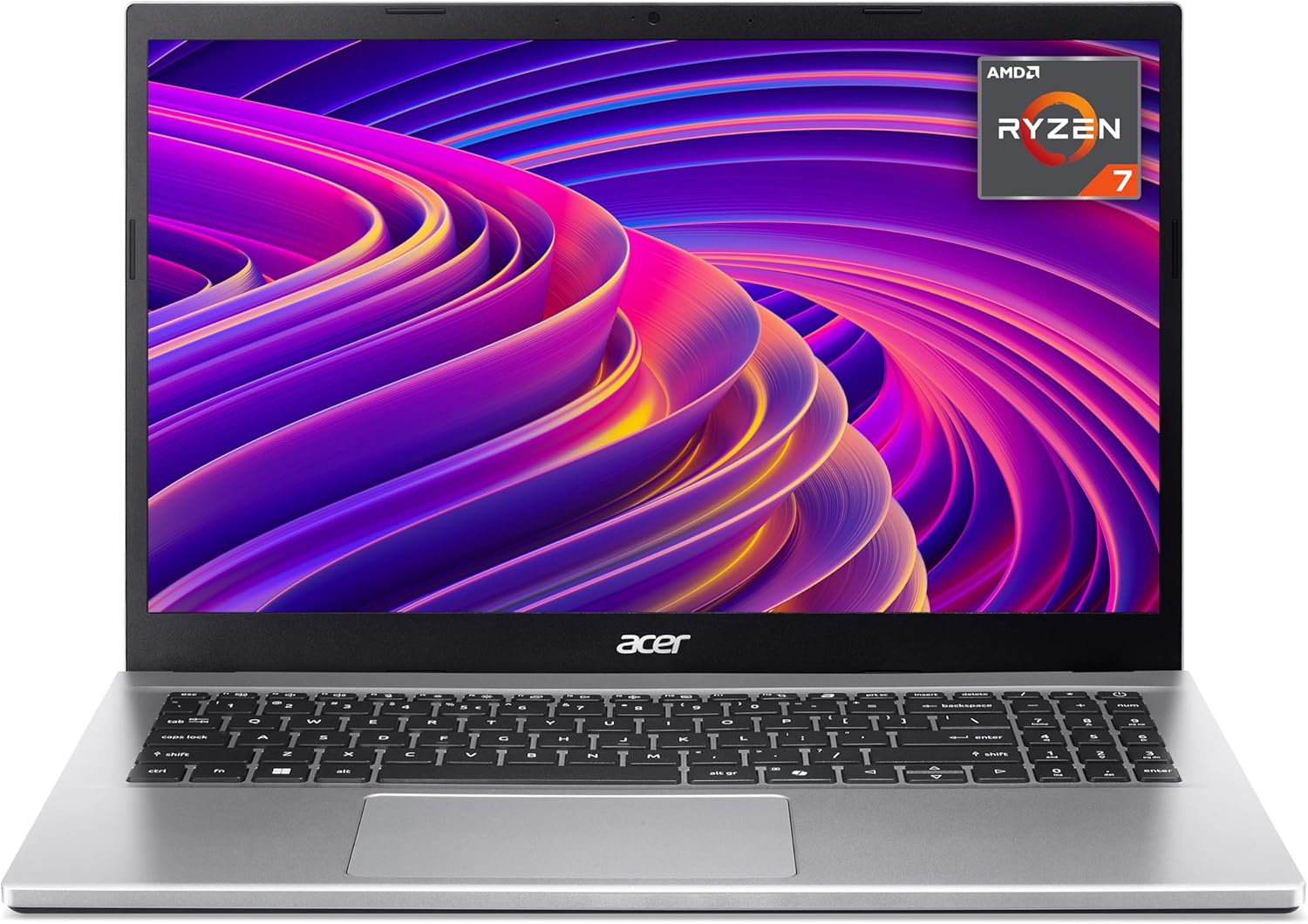 |
4.1/5 (38 reviews) | AMD Ryzen 7 5825U | 16 GB | 1 TB SSD | N/A | £499.99 |
| HP 15.6" Laptop | AMD Ryzen 5 | 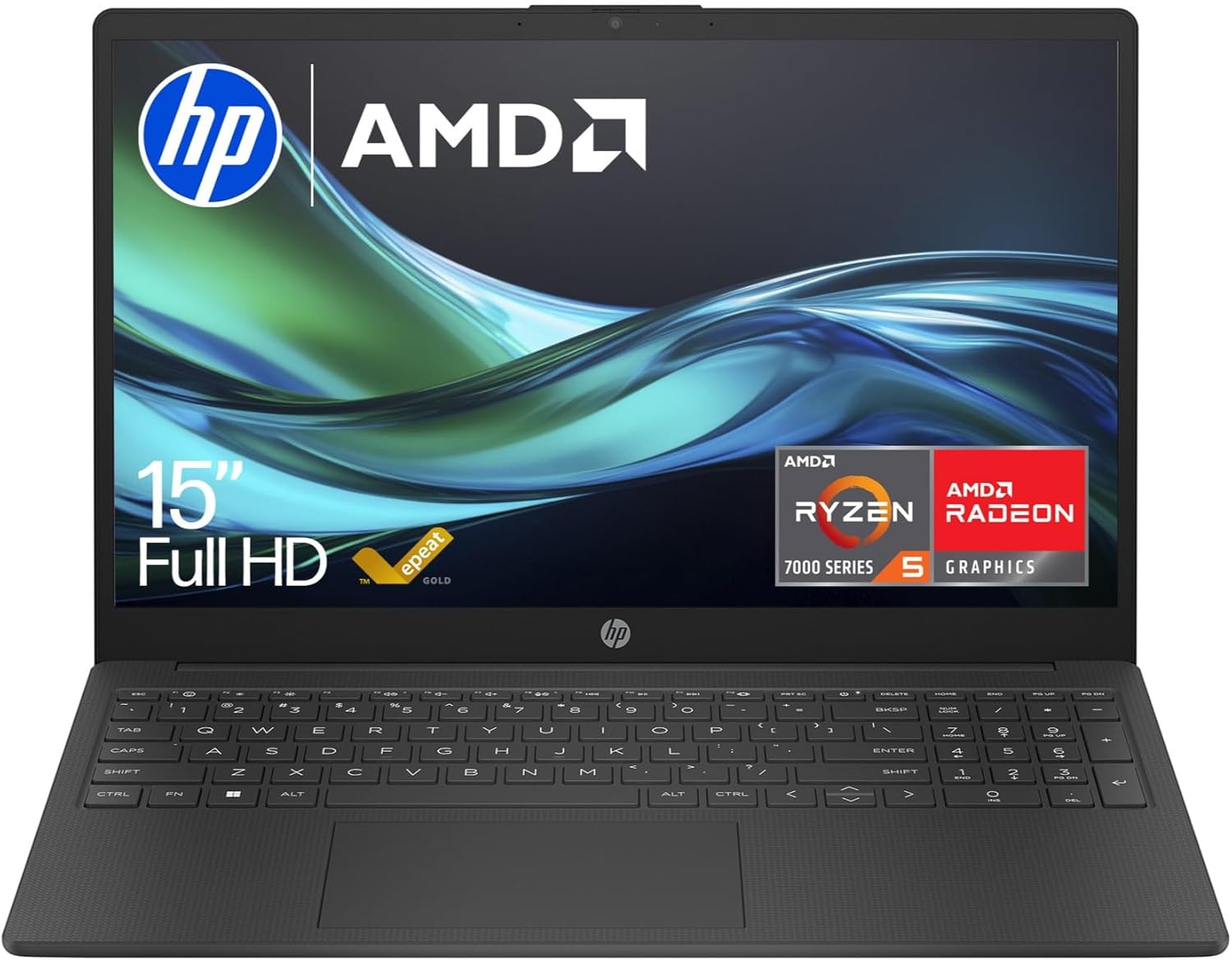 |
4.4/5 (267 reviews) | AMD Ryzen 5 7520U | 16 GB | 512 GB SSD | Up to 10.5 hours | £429.93 |
| Samsung Galaxy Book4 Laptop | 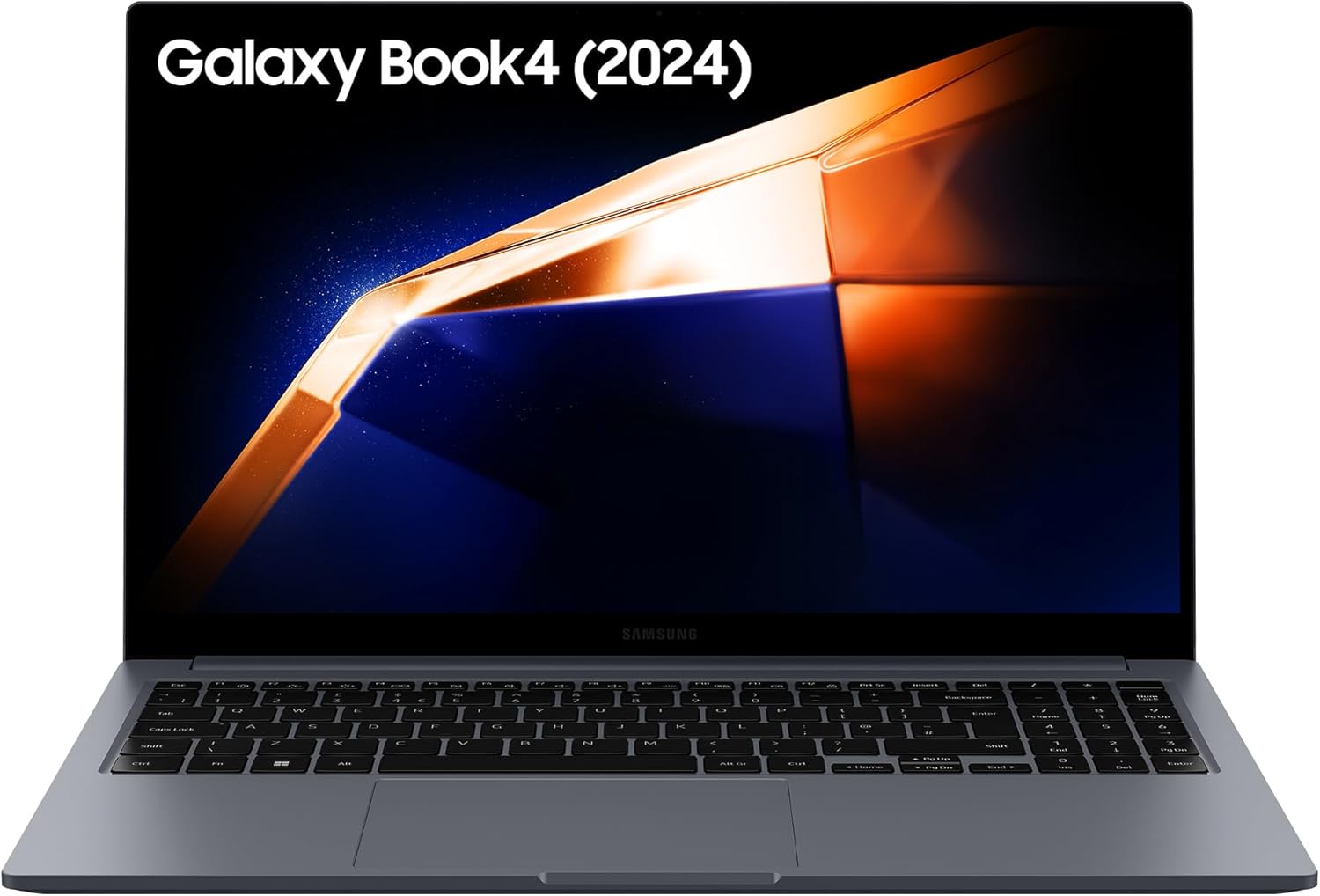 |
5.0/5 (1 review) | Intel Core i7 | 16 GB | 1 TB SSD | N/A | £949.00 |
| acer Nitro V15 ANV15-52 Gaming Laptop |  |
4.2/5 (9 reviews) | Intel Core i5-13420H | 16 GB | 512 GB SSD | N/A | £678.97 |
This Roundup is reader-supported. When you click through links we may earn a referral commission on qualifying purchases.


